
A quick voice note should be easy to capture, whether you are heading out the door or sitting down to work through your day. Doneward has an iPhone Duo layout for each of those moments.
The idea is simple: keep capture focused when the phone is closed, then use the extra space to put your memos and their details together when you open it.
Watch Doneward in action
A one-minute walkthrough recorded in the iPhone Duo simulator.
Read the video transcript
Talk it out. Get it done. Everything you said, at a glance. Just tap, and talk.
Open it into book mode. Your memos on one side, the details on the other. Doneward turns every memo into clear next steps.
You decide what happens. Send it to Reminders or Calendar, or skip it. Shopping lists and quick replies, drafted and ready to go.
Close it, and pick up right where you left off. Doneward. Private, on your iPhone.
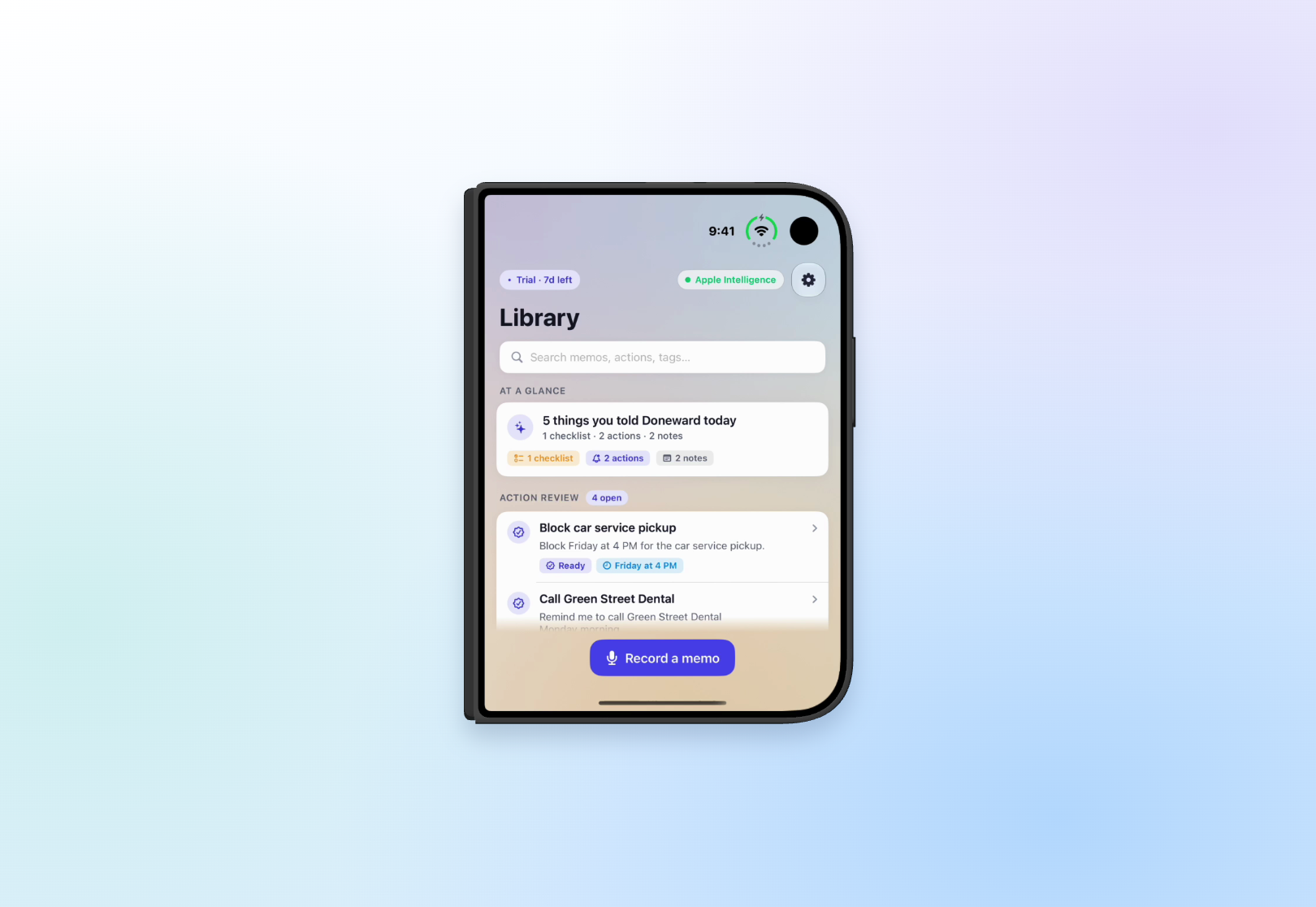
Closed: one thing at a time
With the phone closed, Doneward keeps the compact flow familiar. Browse your library, open a memo, or start recording without a crowded screen. It is the layout for catching a thought before you forget it.
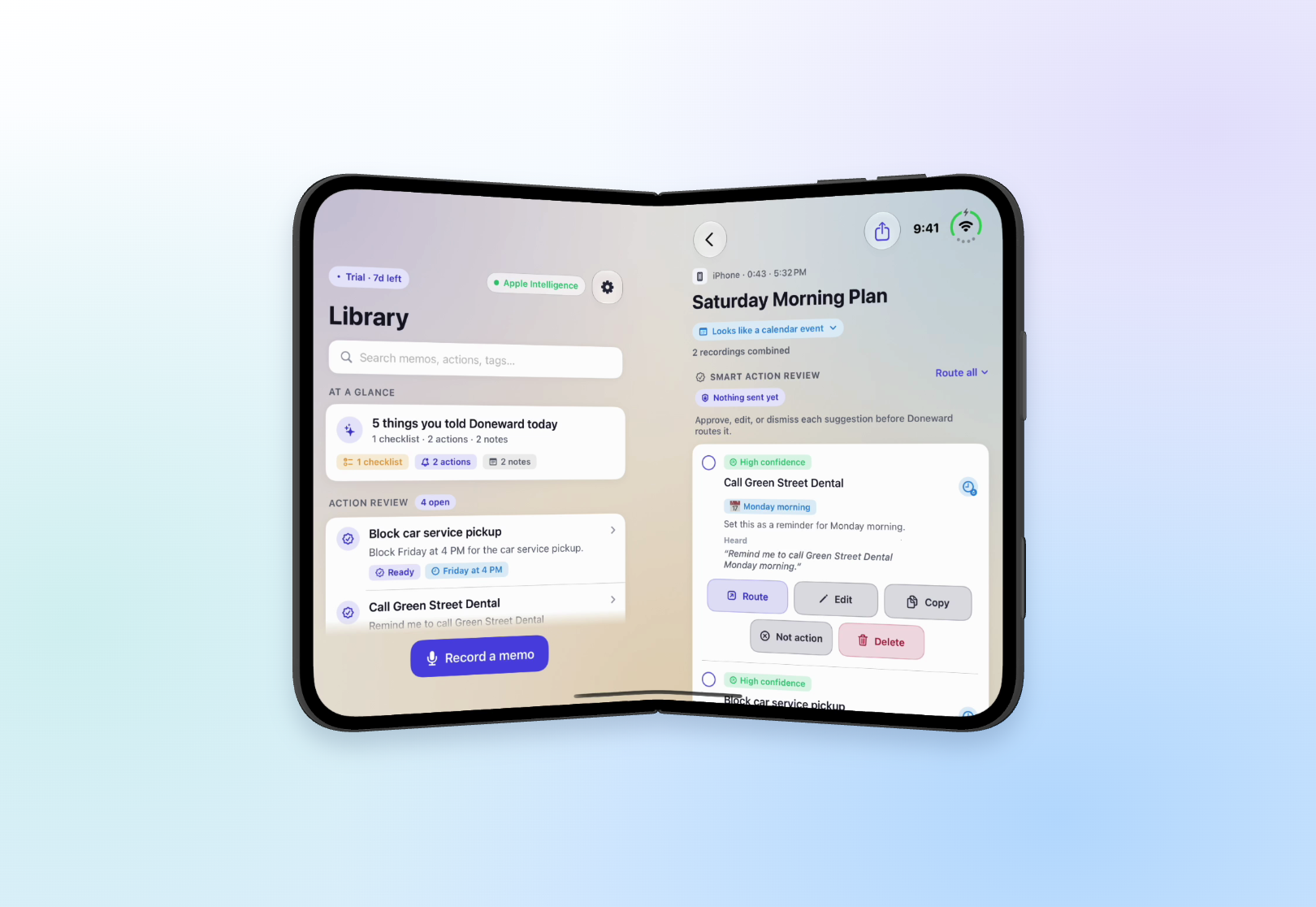
Book: your memos beside their details
Open into book mode and the library and selected memo can sit in separate panes. Choose a memo on one side and review its summary and suggested actions on the other. The layout keeps related content clear of the fold.
Settings follows the same idea, with categories and their details arranged to use the available space.
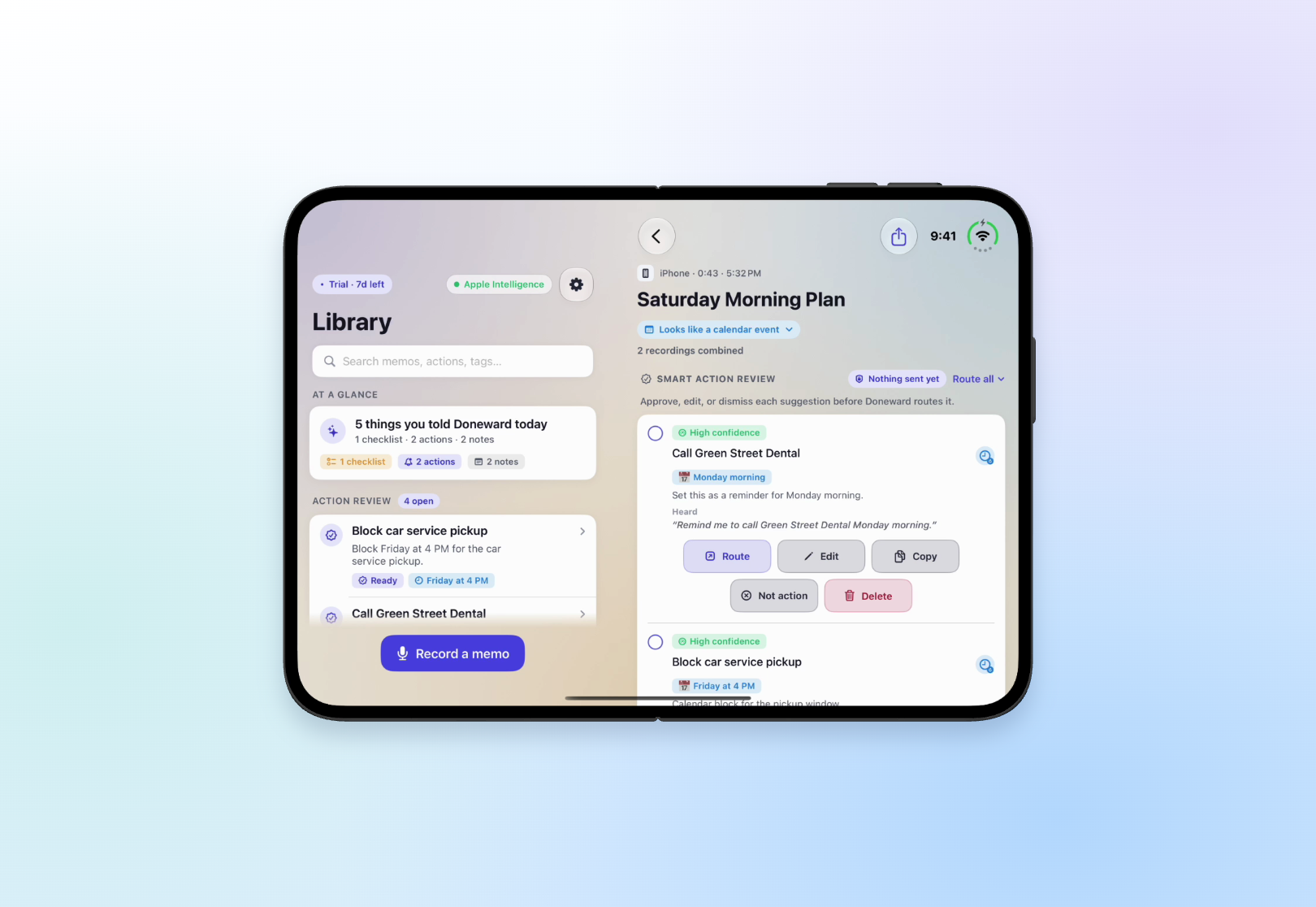
Open: room to work through the next steps
Fully open, Doneward gives the library and memo review more room. Read a longer note, check a shopping list, or work through suggested reminders without repeatedly moving between screens.
Your selected memo stays with you as the layout changes. An unfinished action edit or a paused recording can stay in place while you fold or unfold the phone.
A background that belongs to the whole screen
One continuous background flows across the panes, so the library, memo details, and recording area feel like parts of the same screen. Soft card shadows keep the workspace feeling connected across pane boundaries.
Switching between Light, Dark, and System appearance uses a soft reveal. With Reduce Motion enabled, Doneward uses a short fade instead.
You still decide what happens next
More screen space does not change how Doneward handles your thoughts. Review a suggested action, edit it if needed, and choose whether to send it to Reminders or Calendar. Nothing is routed just because you recorded it.
Smart summaries and action suggestions require Apple Intelligence on a supported iPhone. Memo processing stays on device, and private iCloud restore can keep your library available after a reinstall. There is no Doneward account to create.