
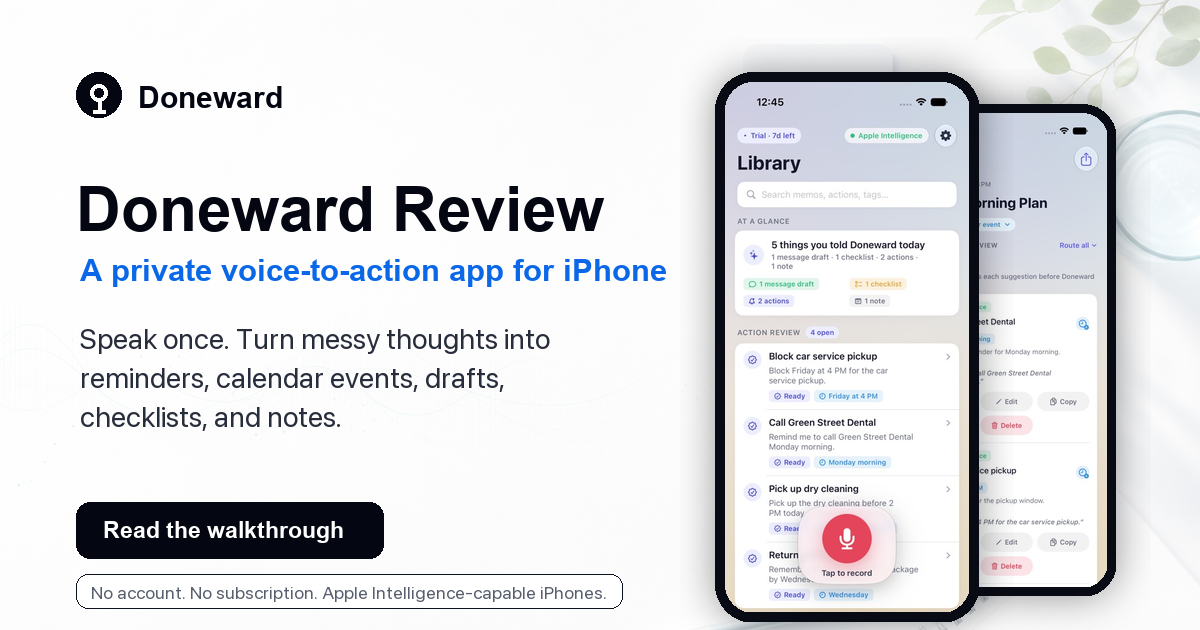
This is a first-party review, so I want to be clear about that. I built Doneward because I kept having the same ordinary problem: I would remember something useful while I was already doing something else, and typing it into the right app was just enough friction that I would put it off.
A normal voice memo is fast, but then it becomes another thing to clean up later. A reminder is great when the thought is simple. A calendar event is great when the time is obvious. Real days are not always that neat.
So let me walk through Doneward the way I actually think about it: a Saturday morning where a few small thoughts show up all at once.
The Saturday morning problem
Imagine you are getting ready to leave the house. You remember the dentist call, the car service pickup, the dry cleaning, the market list, lunch plans, and where you parked last time. None of it is dramatic. It is just the kind of mental clutter that makes you stop in the hallway and think, "I should write this down."
In Doneward, I would tap record and say something like this:
Saturday morning brain dump. Remind me to call Green Street Dental Monday morning. Block Friday at 4 PM for the car service pickup. Pick up the dry cleaning before 2 PM today. Also remember that Maya may text about lunch.
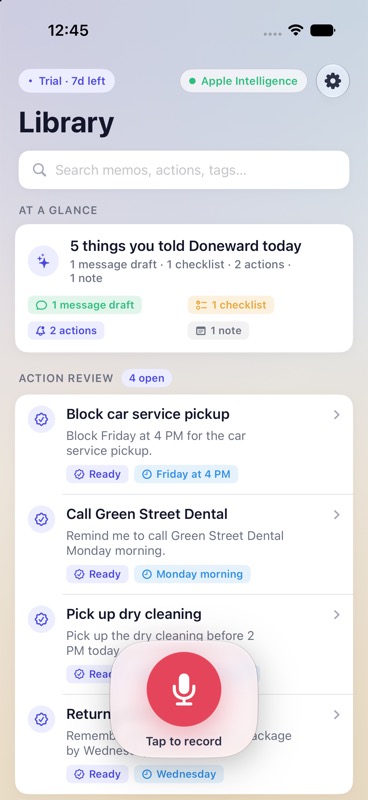
The useful part is not just that Doneward saves the audio. It keeps the transcript, summary, and suggested actions together so I can review them before anything gets sent to Reminders or Calendar.
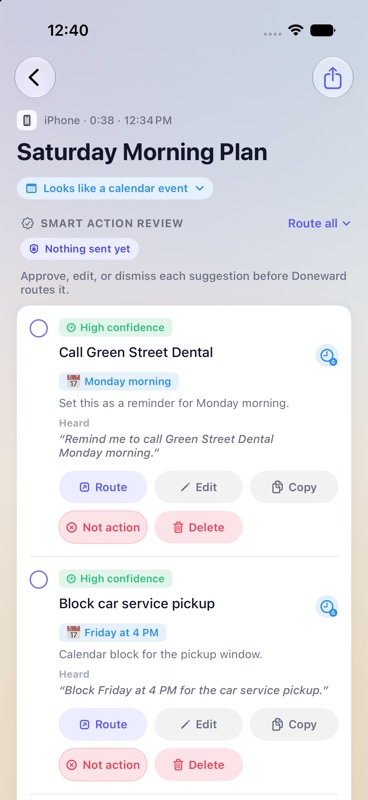
Doneward suggests. You still decide.
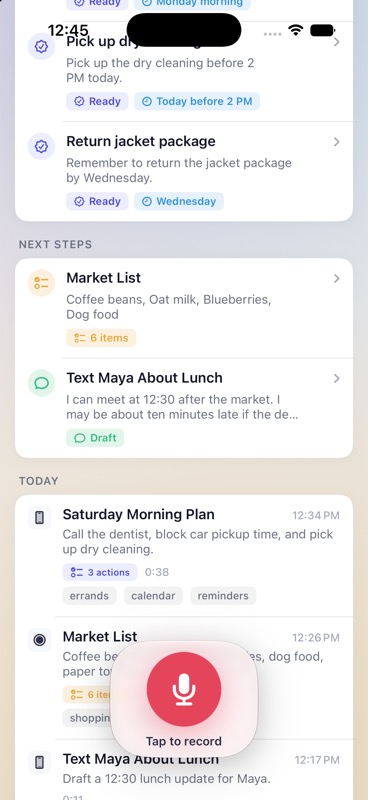
For that morning note, Doneward can turn what I said into a few reviewable actions:
- Call Green Street Dental on Monday morning.
- Block Friday at 4 PM for the car service pickup.
- Pick up the dry cleaning before 2 PM today.
Nothing is sent automatically. That is important. I can edit the action, copy the source phrase, mark it as not an action, send one item to Reminders, send another to Calendar, or leave everything in Doneward.
It is not only reminders
The morning does not stop with tasks. A few minutes later I might say a market list out loud:
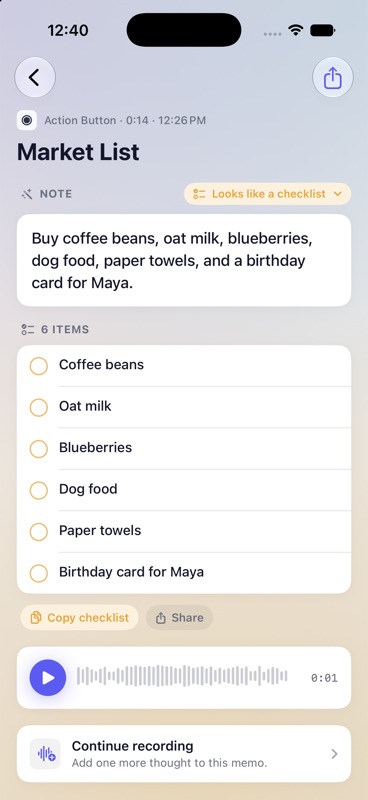
Market list: coffee beans, oat milk, blueberries, dog food, paper towels, and a birthday card for Maya.
That should not become one giant reminder. It should become a checklist I can copy or share.
Then lunch changes:
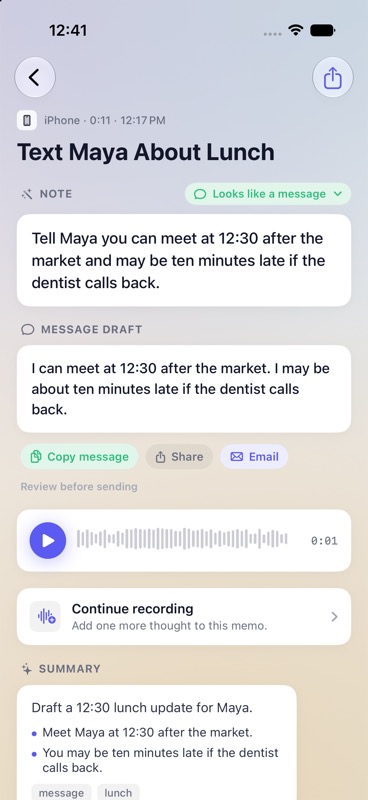
Text Maya that I can meet at 12:30 after the market, but I may be ten minutes late if the dentist calls back.
That is a message draft, not a calendar event. Doneward gives me a clean version I can copy, share, or email before I send it anywhere.
And if I just need to remember where I parked, Doneward can save it as reference:
Parking note: level three, row 45, near the north elevators.
No fake task needed. It stays searchable in the library.
Where Doneward helps most
Doneward is best when talking is faster than deciding where the thought belongs. It helps with errands, meeting follow-ups, personal reminders, quick lists, draft messages, and little reference notes you want to find later.
The app is built around review. That is the difference. It does not assume every spoken sentence should become an action. It gives you a place to look at the suggestion and make the call.
Where Siri or Reminders may be enough
If you already know exactly what you need, Siri and Reminders are still great. "Remind me to take out the trash at 7" does not need a separate workflow.
Doneward starts to make more sense when the thought is rambling, has multiple pieces, or might become a note, reminder, event, checklist, or message depending on what you decide after seeing it.
Privacy matters here
Voice notes can be personal. They can include names, appointments, plans, money details, or half-formed thoughts you would not want sitting in a random web account.
Doneward is designed as a private iPhone app. It does not require an account, and it does not store your recordings or transcripts in a Doneward cloud service. Smart features use Apple Intelligence and other Apple system capabilities when they are available on your device.
Your library stays on your iPhone, with private iCloud restore when available for your Apple Account. You can export or delete your content from the app.
What to know before trying it
Doneward is best on Apple Intelligence-capable iPhones. On supported devices, it can help with smart summaries, tags, and action suggestions. On unsupported devices, the app still aims to keep your saved content accessible, but the full smart workflow depends on Apple system availability.
It is also not meant for critical records or emergency reminders. You should review anything important before sending it to Reminders, Calendar, or another app.
Pricing
Doneward is free to download. It includes a 7-day trial, then a one-time lifetime unlock. There is no subscription.
Who should try Doneward
Try Doneward if you often have useful thoughts at bad typing moments, or if your voice notes tend to become tasks later. It is especially helpful if you like Apple Reminders and Calendar, but want an easier way to capture them by voice.
Skip it if you only need simple one-sentence reminders, or if you do not want to review suggested actions before they go anywhere.
Try Doneward on iPhone
Say it in your own words, review what Doneward found, and decide what should become a reminder, calendar event, draft, checklist, or saved note.
Download on the App Store